My 12 Favourite MacBook Applications
Written by: Theunis Duminy
Date: 2026-05-07
ProductivityTechnologySoftware
I've always been obsessed with software applications. Somewhere in 2012 I got an iPod Touch 5th Gen as a gift from my parents. There were a few months where I had downloaded and tried every single app in the top 100. I would scroll through daily to see if I missed anything, or if anything new had broken through the list.
These days I spend most of my time on a MacBook, and I've spent a stupid amount of it hunting down the apps that make work feel good. I wanted to share my favourite tools that I use daily. They make my work easier and more fun, and most of them help me romanticise it a little.
A few caveats: some are available on Windows, but I can't be bothered to help the lost souls stuck using Microsoft. Many of these you will be able to use on an iPhone too.
None of these are development tools. Perhaps a list for another day. Anyway, let's get started.
1Password
A password manager that generates, stores, and autofills credentials across every device and browser you use.
1password.comhttps://1password.com/
| Where to find | What I pay | When I started using it |
|---|---|---|
| Download | R1000 / year | Late 2019 |
1Password is the most important app I use. I have 260 passwords, credit card details, DB & API credentials and software licenses stored on it. Every single password is generated by 1Password when I sign up and looks something like this wFqDmQAR4Lt7u_XZZtLcrB6ZJHeE*izU. Try hacking that, nerd.
It also supports 2FA, passkeys, SSO, secure password sharing and much more. It's installed on my browsers, iPhone and any digital device I own.
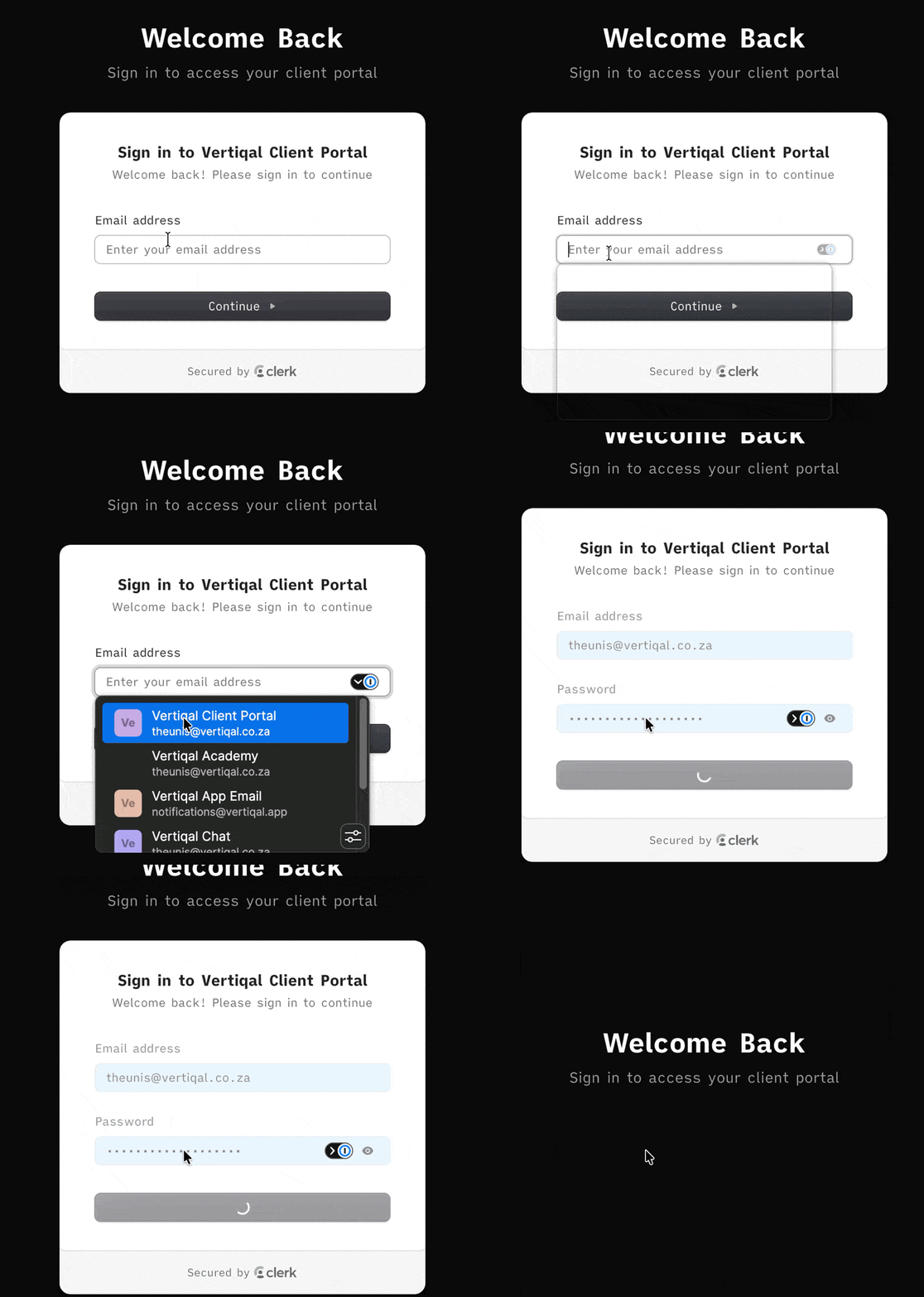
You might say that you can use Google Chrome or Apple's own password manager, and I'd say fine. Both are restricted to specific environments. I can use 1Password literally anywhere.
What I love about it
- I only have to remember one password. Spend zero time trying to remember which pet name I used this time.
- Never stress about secure passwords or getting hacked.
- Autofill forms with name, address, etc. with one click.
CleanShot X
A screenshot and screen recording tool that makes capturing, annotating, and sharing visuals effortless.
cleanshot.comhttps://cleanshot.com/
| Where to find | What I pay | When I started using it |
|---|---|---|
| Download | $29 once-off | Early 2025 |
We constantly have to take and share screenshots. Why not make them beautiful? You'll notice that I care a lot about aesthetics. CleanShot makes it easy to annotate and make screenshots pop. It stores a history of your screenshots for easy access and you can use its scroll functionality to take a long screenshot that wouldn't fit on one screen. Screen recording and gif capture are also built in.
What I love about it
- Add backgrounds, arrows, numbers and more to screenshots
- Screenshots stay in the corner of whichever screen you're on until you save or drag it wherever it needs to be.
- Only have to pay once to use it forever.
Obsidian
A local-first, infinitely customisable note-taking app built on plain markdown files.
obsidian.mdhttps://obsidian.md/
| Where to find | What I pay | When I started using it |
|---|---|---|
| Download | Free, but tipped $29 | Early 2023 |
It's a note taking tool, but it's hard for me to describe how much I love Obsidian. Recently, it's been picked up by the AI bros, which saddens me, but I'm sure that'll fade.
I once heard Steph Ango the founder of Obsidian describe the tool as software that forms around you. Most other software demands the user conforms to its standards. Obsidian is completely mouldable around how you want it to be.
That makes Obsidian very intimidating to start using. You have to spend a lot of time setting it up. The way my Obsidian looks and operates will be completely different than another person. So much so it's hard to know if it's even the same app.
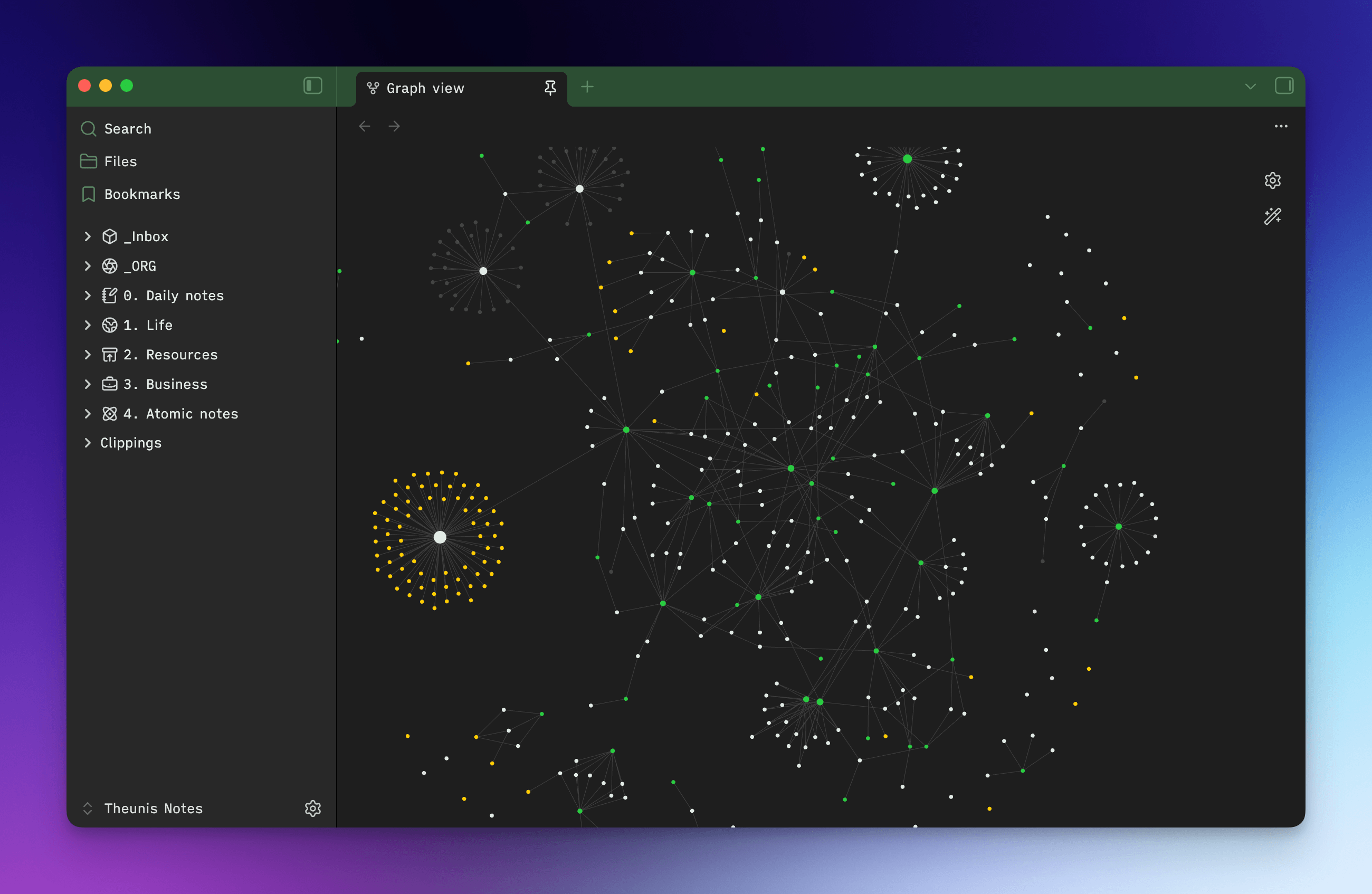
Besides the tool, I admire Steph Ango a lot and he has an amazing way of thinking and contrarian view on how to build a company. They are only 7 employees and estimate about 1.5 million people using the app. They also bootstrapped the entire operation.
What I love about it
- Completely offline, everything is markdown files on your PC
- Sync across any device by storing the folders in iCloud
- AI does work really well with this setup
- Modify to your heart's content, make it work and feel exactly how you'd like it to.
Granola
An AI meeting note-taker that records and enhances your notes without joining the call as a creepy bot.
granola.aihttps://www.granola.ai/
| Where to find | What I pay | When I started using it |
|---|---|---|
| Download | $14 / month | Early 2026 |
There are a dime a dozen meeting note taking apps that you can choose from. But I need to be real with you in 2026: I don't want to let your stupid app into my meeting. It's such obviously bad design.
Granola sits on your laptop and can record without having to be in the meeting, just remember to ask for consent like a responsible person who likes to not get sued.
It also has a few killer features, like being able to take your own notes during the meeting and then afterwards it'll enhance those notes. You can also chat to notes and ask something like "What did I promise to do yesterday?" after you had 5 back to back meetings.
What I love about it
- No empty tile in a meeting, takes notes without disruption
- Chat with your notes, or multiple notes very easily
- Take notes of your own to not just rely on the AI note taking capability to steer what to focus on.
Dia
An AI-first browser from The Browser Company that knows what tabs you're on and helps you actually get things done.
thebrowser.companyhttps://www.thebrowser.company/
| Where to find | What I pay | When I started using it |
|---|---|---|
| Download | Free | Early 2024* |
Most people never, ever think about the browser they're using. Google Chrome, Edge, Safari, whatever is default. I am not one of those people.
The Browser Company released Arc and I was enamoured from day one. Once you use vertical tabs, you can never go back.
Arc was put on life support and Dia was announced, their new AI-first browser, and I was one of the first users who started using it in June of 2025. Since then, it's only gotten better.
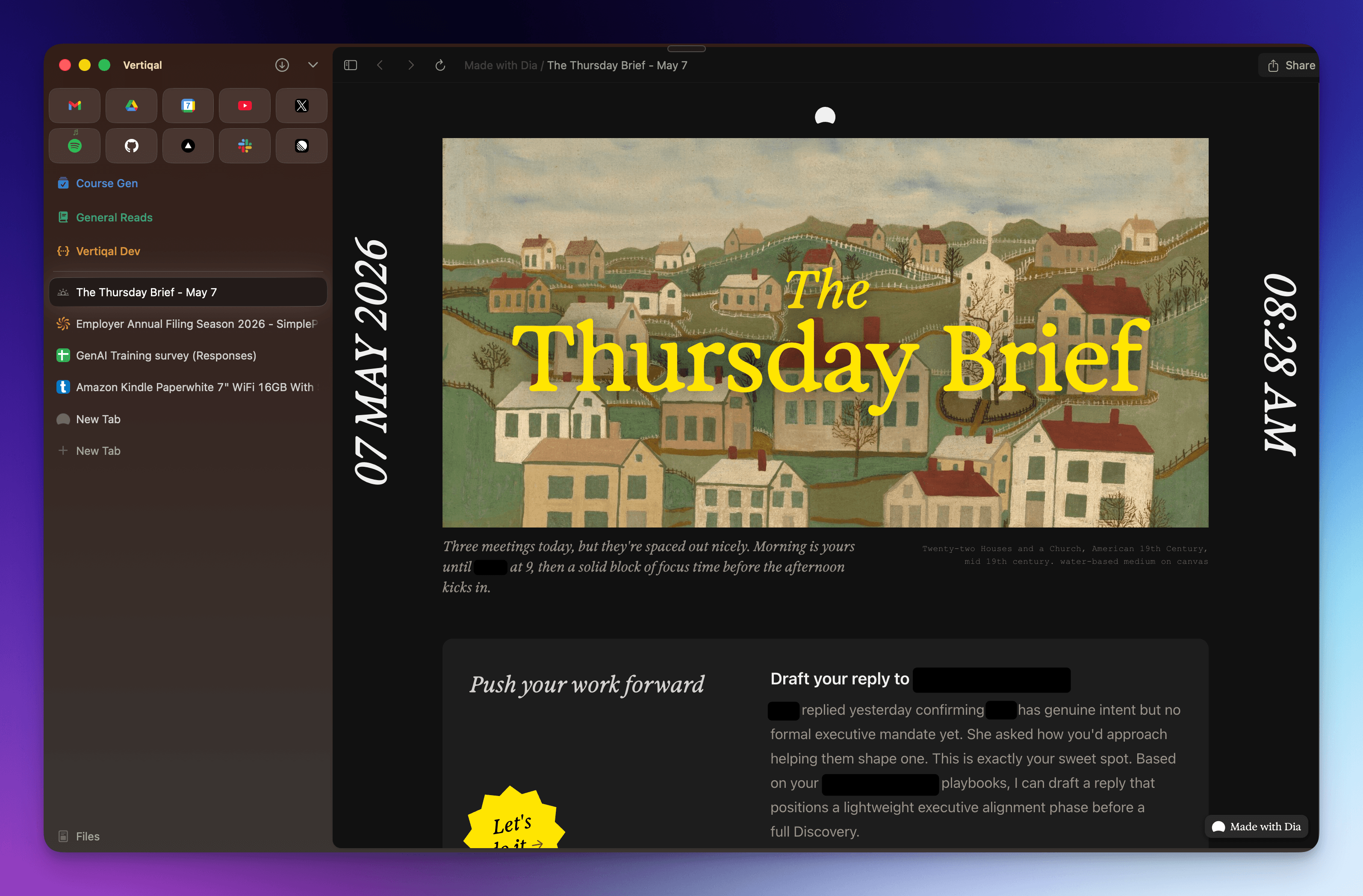
It's useful for an AI to easily have access to which tabs you're busy with and what you're focused on. Every morning, I get a brief with to-dos, recaps and most important things to push my work forward. It feels like magic.
If you ask a question, it'll decide to browse or defer to an AI query and there are just so many cool use cases. As an example, the other day I had to do something on SARS, the EMP501 submission, and had no clue how to do it. Without me asking, it just put this guide together.
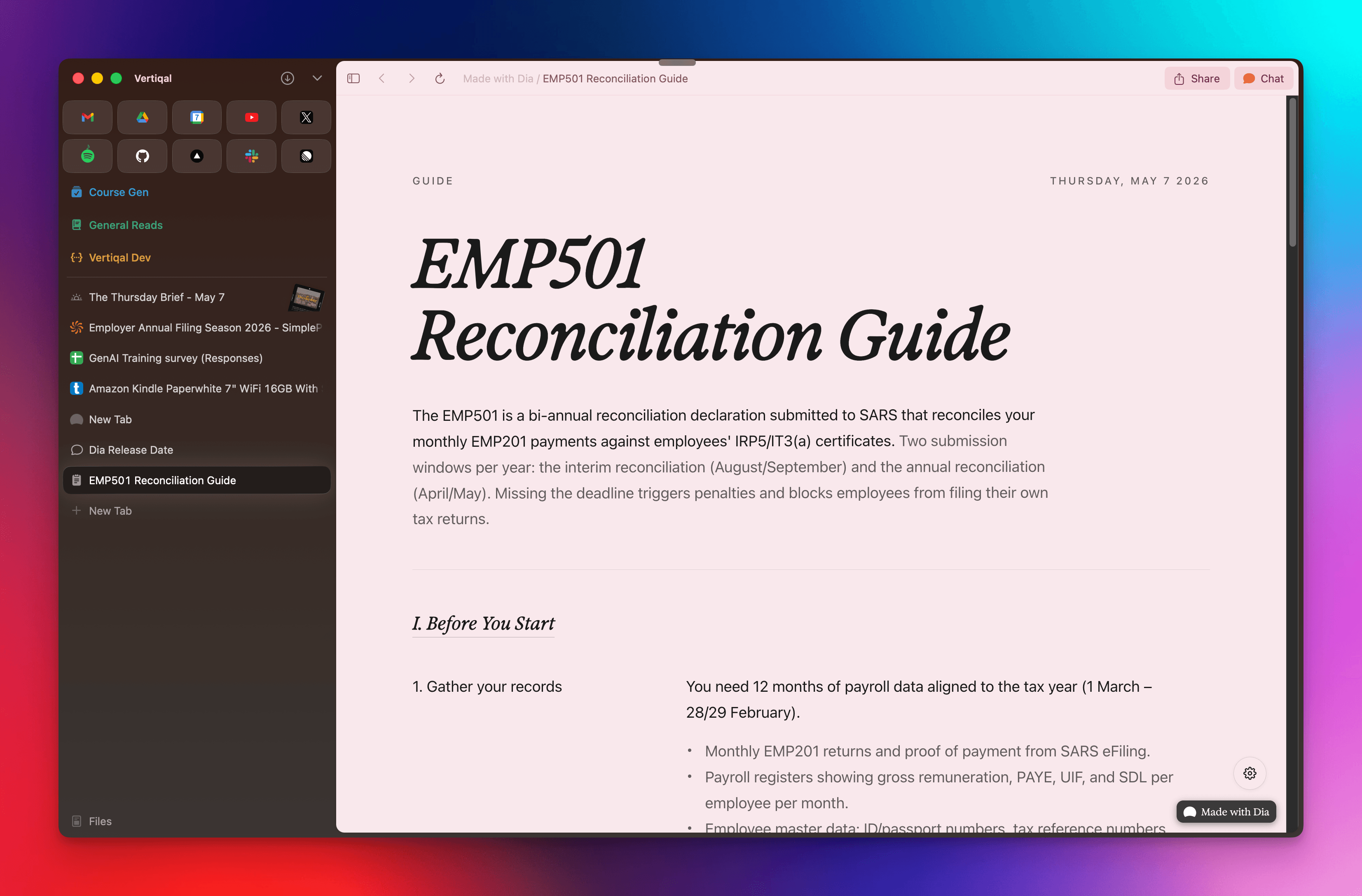
I spend a lot of time in my browser, so a tool this aesthetically pleasing and useful brightens my day.
What I love about it
- Actual useful AI features that feel like magic
- Aesthetic and beautiful and lightning fast
- Detail focused, shows upcoming meeting notifications, subtle animation for tabs where music is playing, groups tabs automatically, and so much more.
Spark
An email client that unifies Gmail, iCloud, and Outlook accounts into one consistent, fast inbox.
sparkmailapp.comhttps://sparkmailapp.com/
| Where to find | What I pay | When I started using it |
|---|---|---|
| Download | Free | Early 2016* |
I've been using Spark for almost a decade to manage my emails with no issues. That's probably the highest compliment you can give an email client.
I've tried the alternatives. Apple Mail is fine if you live entirely inside iCloud, which I don't. Gmail's web app is functional but ugly, and the Outlook app is even worse. Superhuman wants $30 a month to teach me keyboard shortcuts I already know.
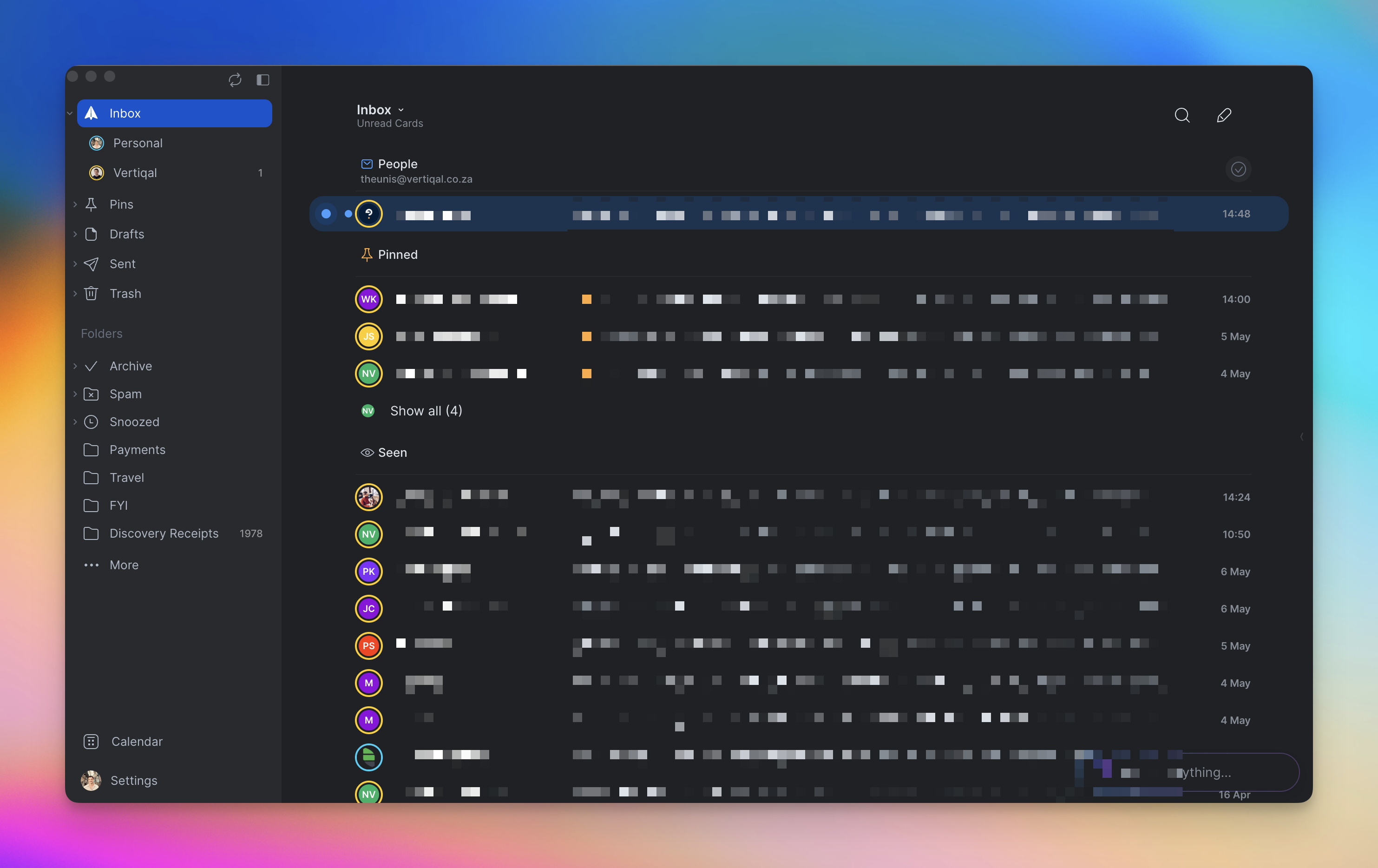
What it does better than anything else is unify accounts without making it feel like a compromise. I've got Gmail, iCloud, and an Outlook account all running through one inbox, and they all behave the same way. No mental context switch when I jump between work and personal email.
What I love about it
- Reliable, fast, and stays out of the way
- One inbox for Gmail, iCloud, and Outlook with no behavioural quirks between them
- Syncs across all my devices
Superwhisper
A voice-to-text tool that transcribes locally and pastes the result wherever your cursor is focused.
superwhisper.comhttps://superwhisper.com/
| Where to find | What I pay | When I started using it |
|---|---|---|
| Download | $7 / month | Early 2025* |
We talk much faster than we type. We write to distill thoughts, we talk to instil them. Superwhisper transcribes what you say and pastes it wherever your cursor is focused.
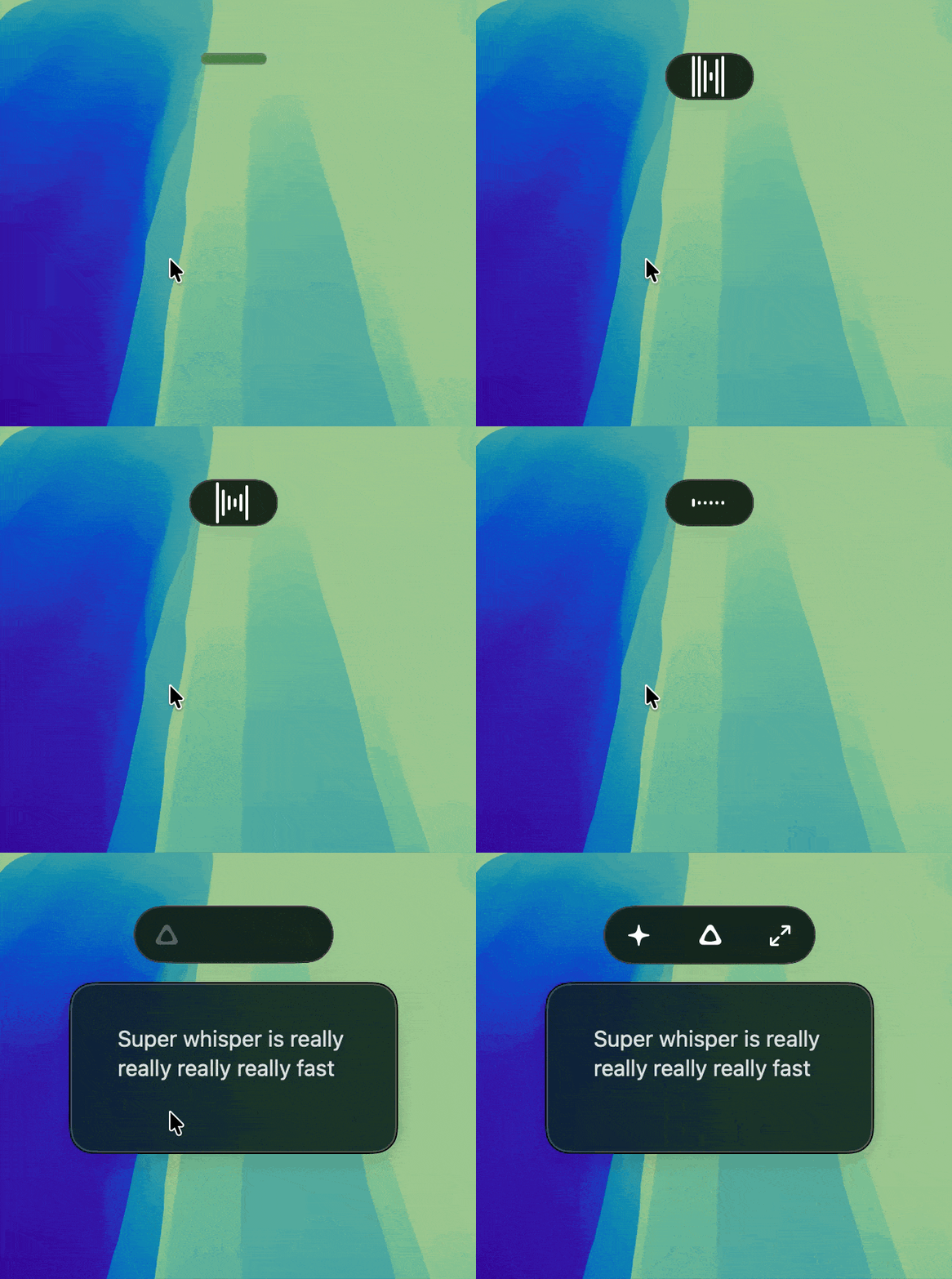
It has different modes like messages, email or note that does some processing and formats it into some specific way. Why I like Superwhisper above many other competitors is that it downloads transcriptions models locally, and is very unobtrusive. Just sit as a thin bar at the top of your screen.
But above everything, it allows you to use Nvidia's Parakeet model and it's super fast. Like stupid fast.
What I love about it
- You can use downloaded models so nothing leaves your computer
- Unobtrusive and is never in the way
- Formatting to email, message or notes is really useful
Bauhaus Clock
A beautifully designed minimalist clock screensaver, and nothing else.
bauhausclock.comhttps://bauhausclock.com/
| Where to find | What I pay | When I started using it |
|---|---|---|
| Download | $19 once-off | Early 2026* |
Did I mention I like aesthetically beautifully designed things? Bauhaus Clock is a screensaver. It puts this beautiful clock as your screensaver and nothing else. You might wonder why you should pay twenty dollars just for a screen saver. It's the same reason Michelangelo spent four years on his back painting the Sistine Chapel. We are attracted to beauty.
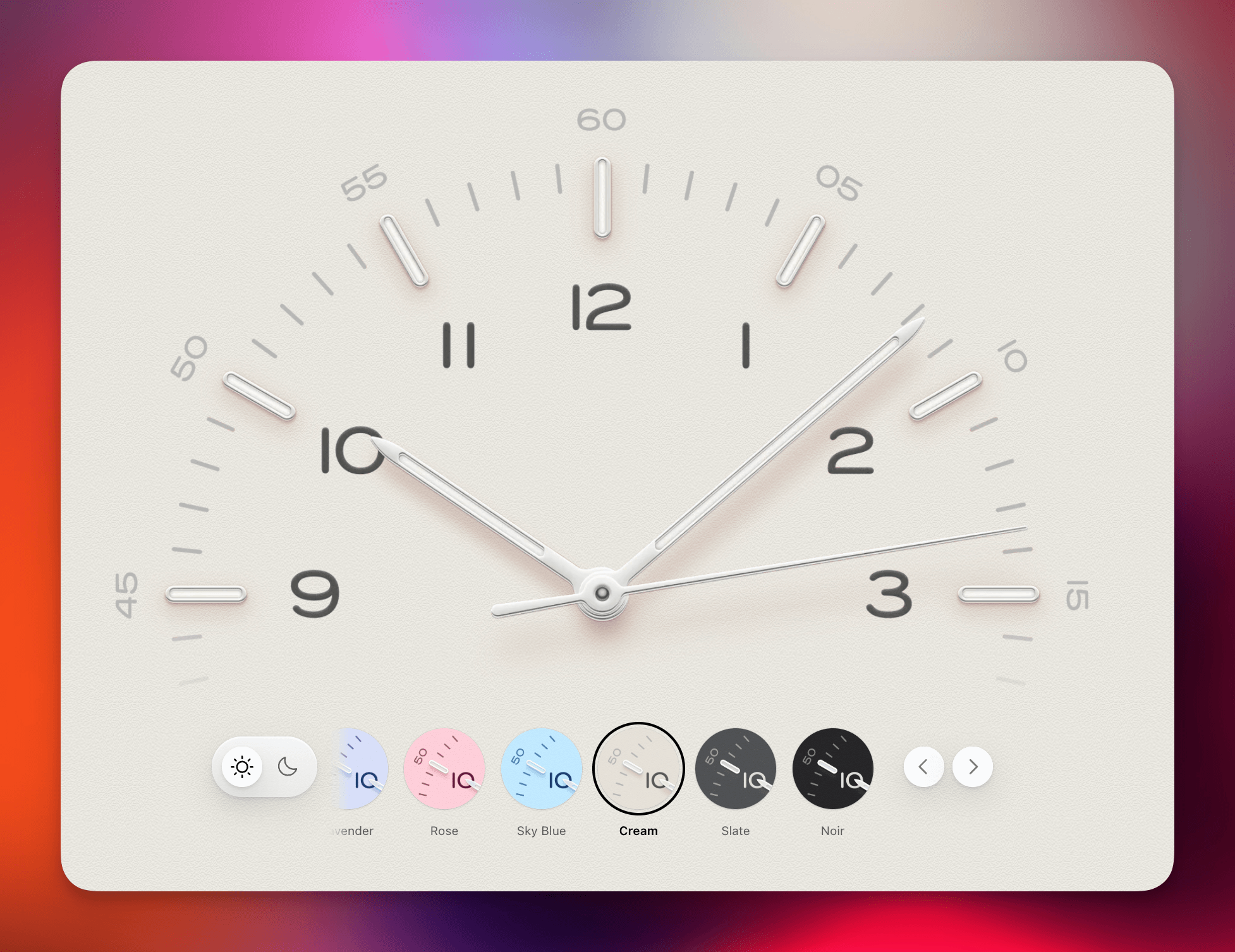
I like unlocking my laptop while seeing the clock, and sometimes that's enough of a reason to spend money.
What I love about it
- It's nice to look at and makes me feel good
Raycast
A spotlight replacement that turns almost anything on your Mac into a one-keystroke command.
raycast.comhttps://www.raycast.com/
| Where to find | What I pay | When I started using it |
|---|---|---|
| Download | Free | Late 2025* |
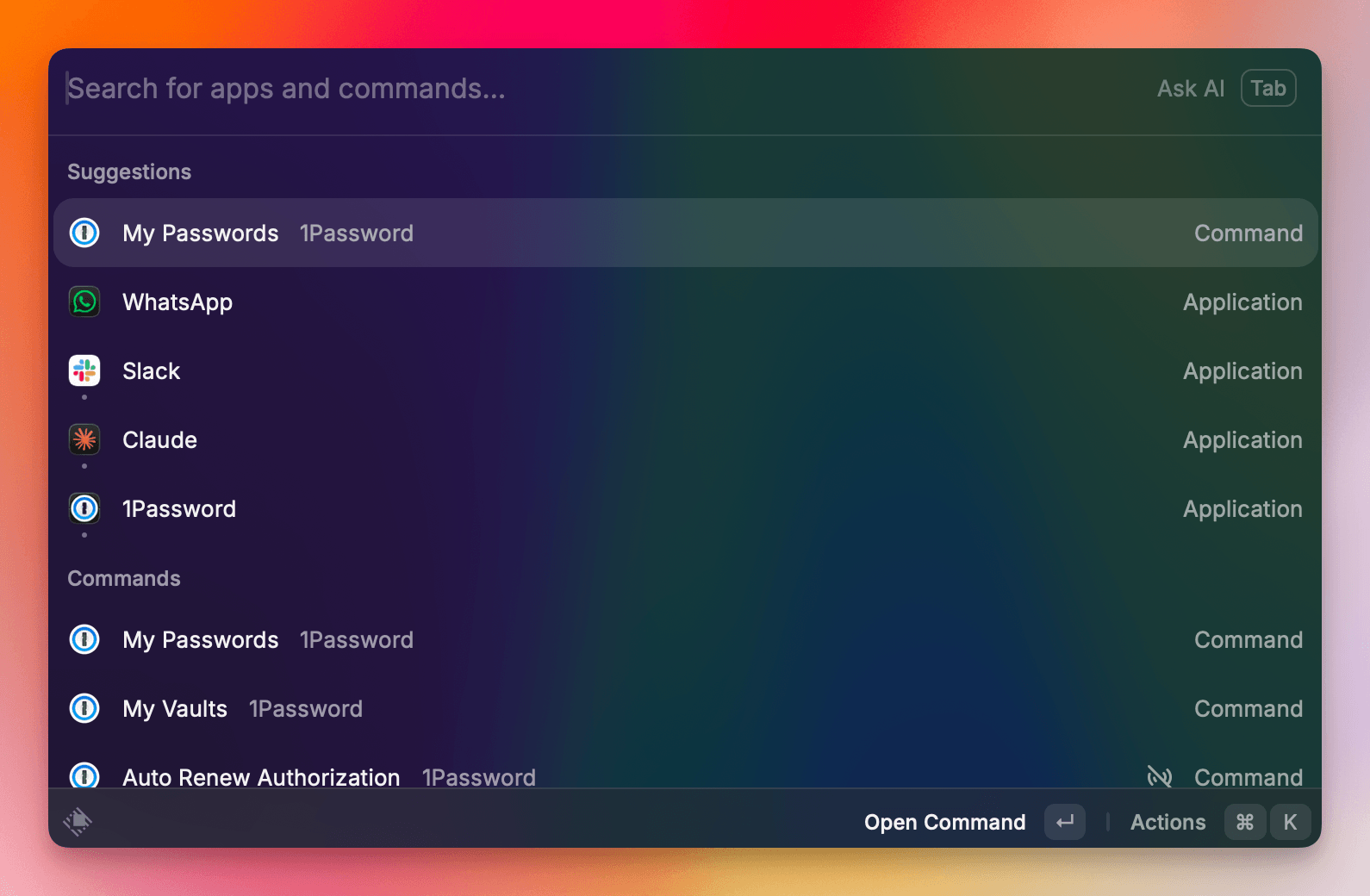
Mac's native spotlight search is severely lacking. Raycast fixes that by making literally anything a shortcut. Want to store snippets to quickly type your address? Sure. Resizing windows? No problem. Opening files with any application? Easy peasy. Read emails, play music, chat to AI, find files, see calendar events, translate, convert or calculate all from one search bar? Done.
My workflow has changed drastically since starting to use Raycast. Everything I do starts with a search now and it makes everything feel smooth and fast and efficient. It does take some time to connect everything and set up some commands, but boy is it worth it.
What I love about it
- Blazingly fast, simplifies everything to a search.
- Connects to everything on your laptop and browser.
- BYOK for any AI you'd like to use
OBS
A free, open-source broadcasting tool for recording and streaming your screen with full control over the setup.
obsproject.comhttps://obsproject.com/
| Where to find | What I pay | When I started using it |
|---|---|---|
| Download | Free | Early 2025* |
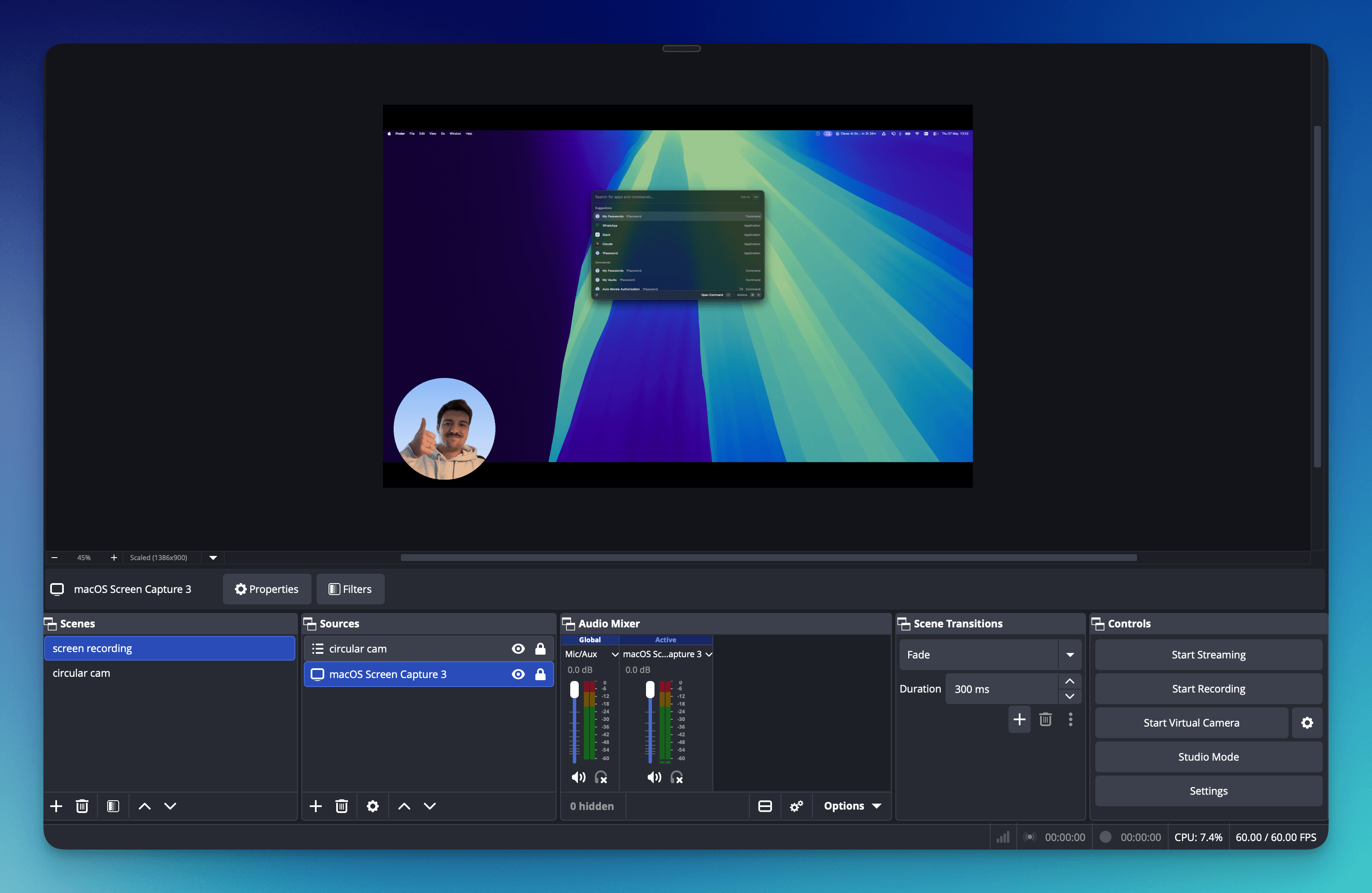
OBS, or Open Broadcaster Software, is what I use to record videos and demos. Something like Loom is much more convenient, but I like to set things up myself and OBS allows unparalleled freedom for deciding how you'd like to stream your screen.
I think I'm using 5% of what you can do with OBS, but it's free and I get a lot of use from it.
What I love about it
- Simple to use, exports everything locally
- Has all the bells and whistles for more complex setups
- Makes me feel like a video editor or something
CopyClip
A tiny menubar app that keeps a history of everything you've copied so you can paste it back later.
apps.apple.comhttps://apps.apple.com/us/app/copyclip-clipboard-history/id595191960
| Where to find | What I pay | When I started using it |
|---|---|---|
| Download | Free | Early 2016* |
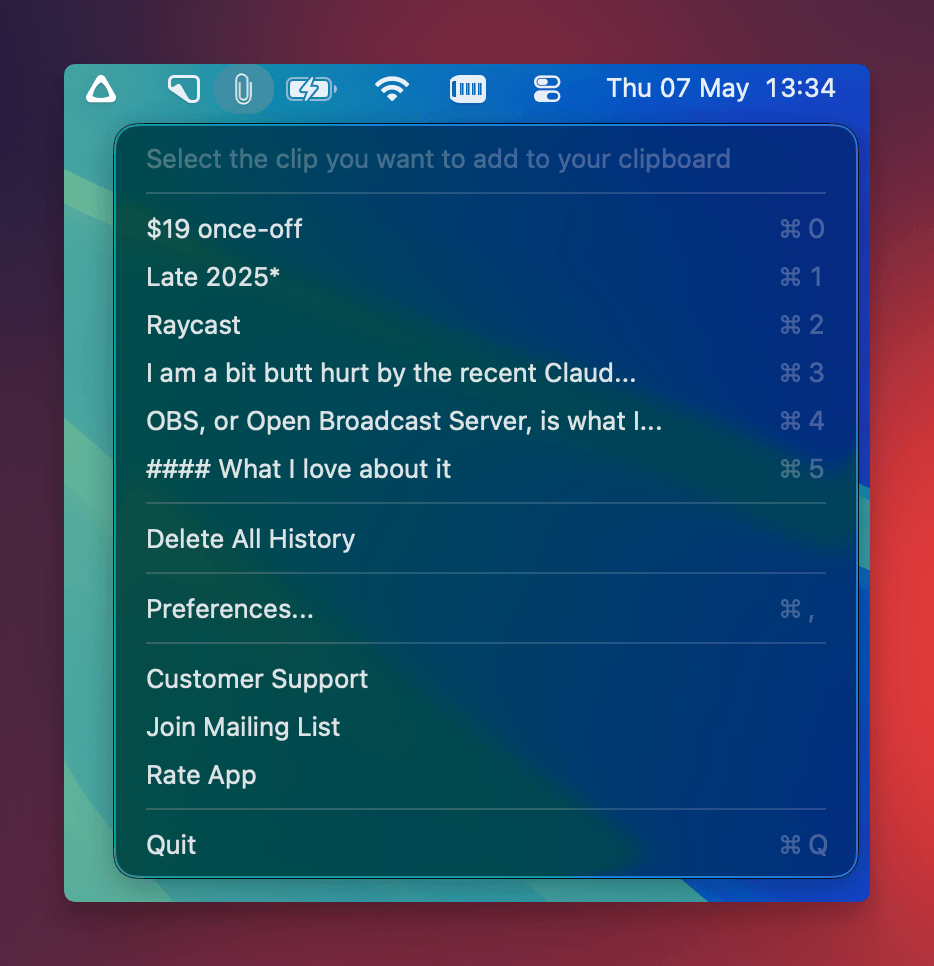
You know the feeling when you copy something, but then you copy something else, and then you paste it, but you wanted to paste the first thing, now you have to go back to that thing, but then you lose the second thing? Ya, me too.
CopyClip is so simple but I use it hourly. It just keeps a record of everything you copied and then you can access it from your menubar. That's all it does, but it saves so much time.
What I love about it
- Dead simple, no gimmicks
- Shortcuts for grabbing something quickly you copied earlier
- Works with images, videos, text equally well
Claude Desktop
anthropic.comhttps://www.anthropic.com/
| Where to find | What I pay | When I started using it |
|---|---|---|
| Download | $100 / month | Late 2024* |
I am a bit butt hurt by the recent Claude hype. I started using Claude late 2024 and it has been my model of choice ever since. Even when the app was rough, and it didn't work many times, I still saw the potential.
I often Googled "Why is no one using Claude and still using ChatGPT"?, but I guess you should be careful what you wish for. I would pay a lot of money to never see a post saying "🤯 10 WILD THINGS YOU DIDN'T KNOW YOU COULD DO WITH CLAUDE" or adjacent again. Grifters gonna grift.
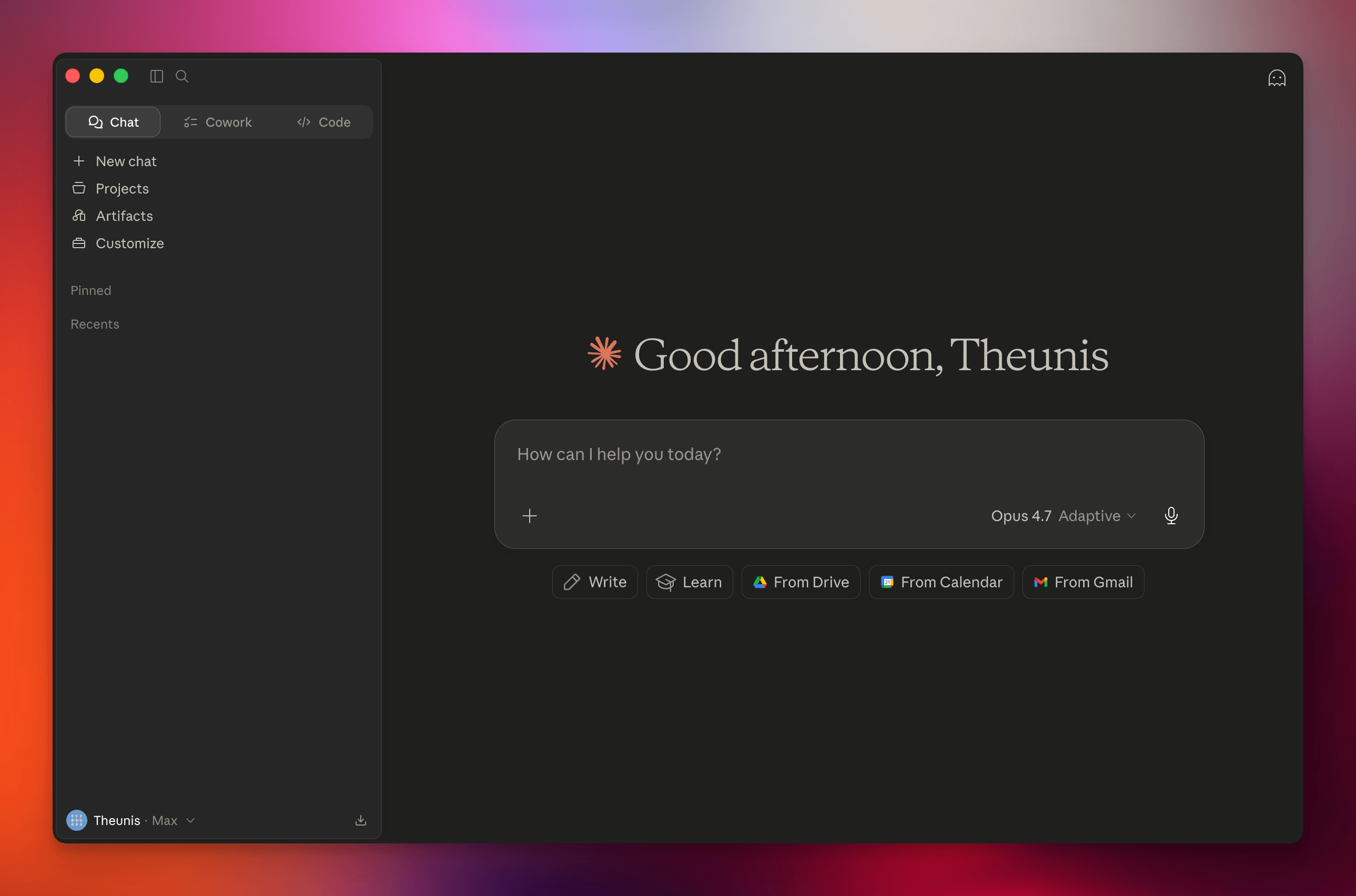
Claude on Desktop is the only AI tool I trust to actually do work for me, not just talk about it. I can hand it a Linear ticket, point it at a Google Doc, and have a draft PR ready when I get back from coffee. The models are, for now, clearly ahead.
The star of the show is connectors and Skills. It's what makes Claude feel less like a chatbot and more like a coworker.
What I love about it
- Connects with all my tools, does work for me
- Models are better than the rest
- Skills are insanely powerful tools to use
Final thoughts
Working should feel good, and the tools and applications we use should brighten our day and help us do the things we love better. Hopefully you'll find your next favourite one on this list.
Thanks to Mignon Duminy for reading drafts of this.
Back to all notes